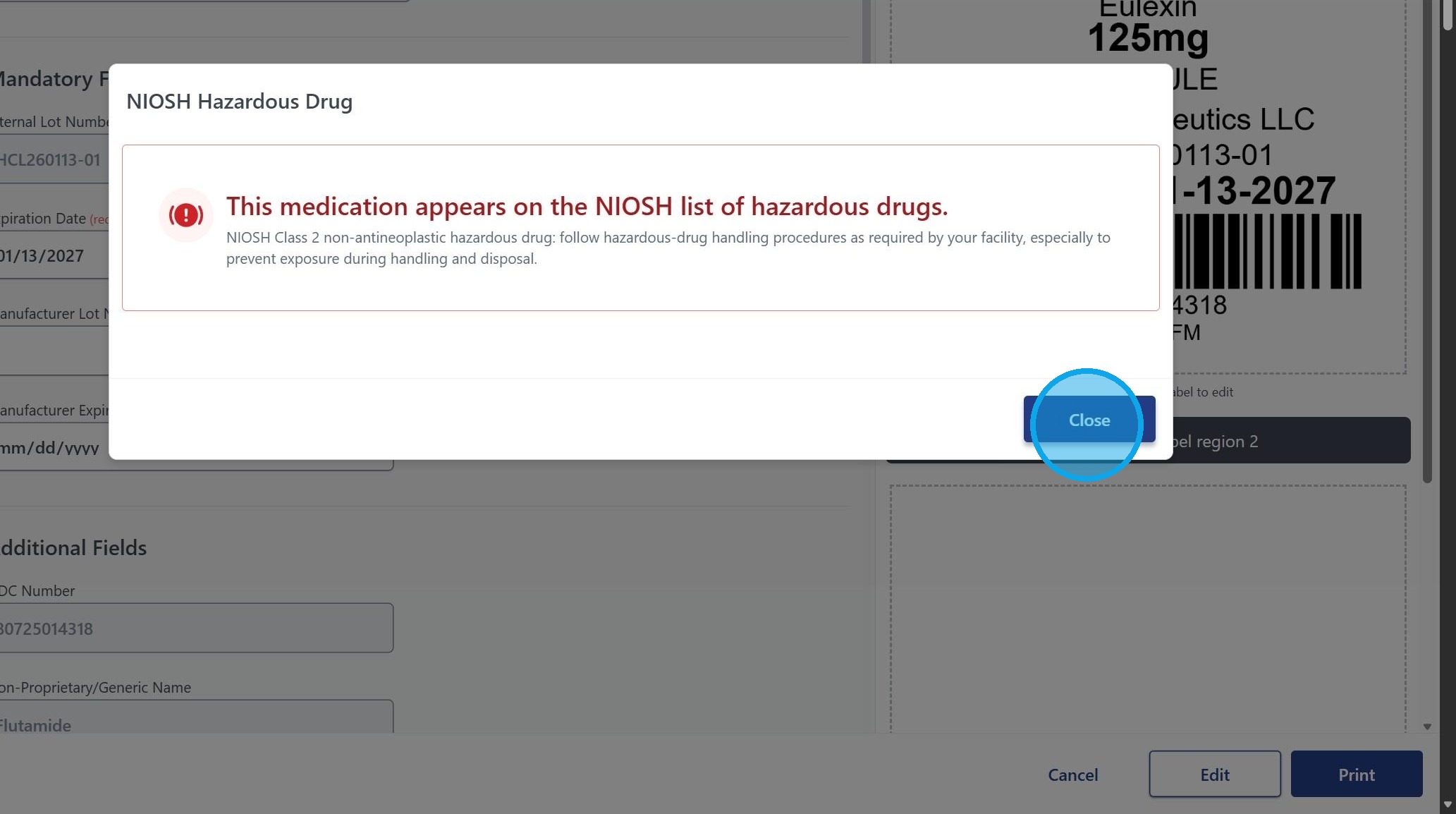
⚠️ Alerts - NIOSH Safety Alerts

Turn on NIOSH Alerts in goHCLabels in just 3 easy steps to stay informed about critical safety and health updates related to occupational hazards. This feature provides quick access to trusted guidance from NIOSH, the CDC, and the FDA, including important information on drug safety and proper handling.
1. Navigate to Settings > NIOSH Alerts via the settings gear.
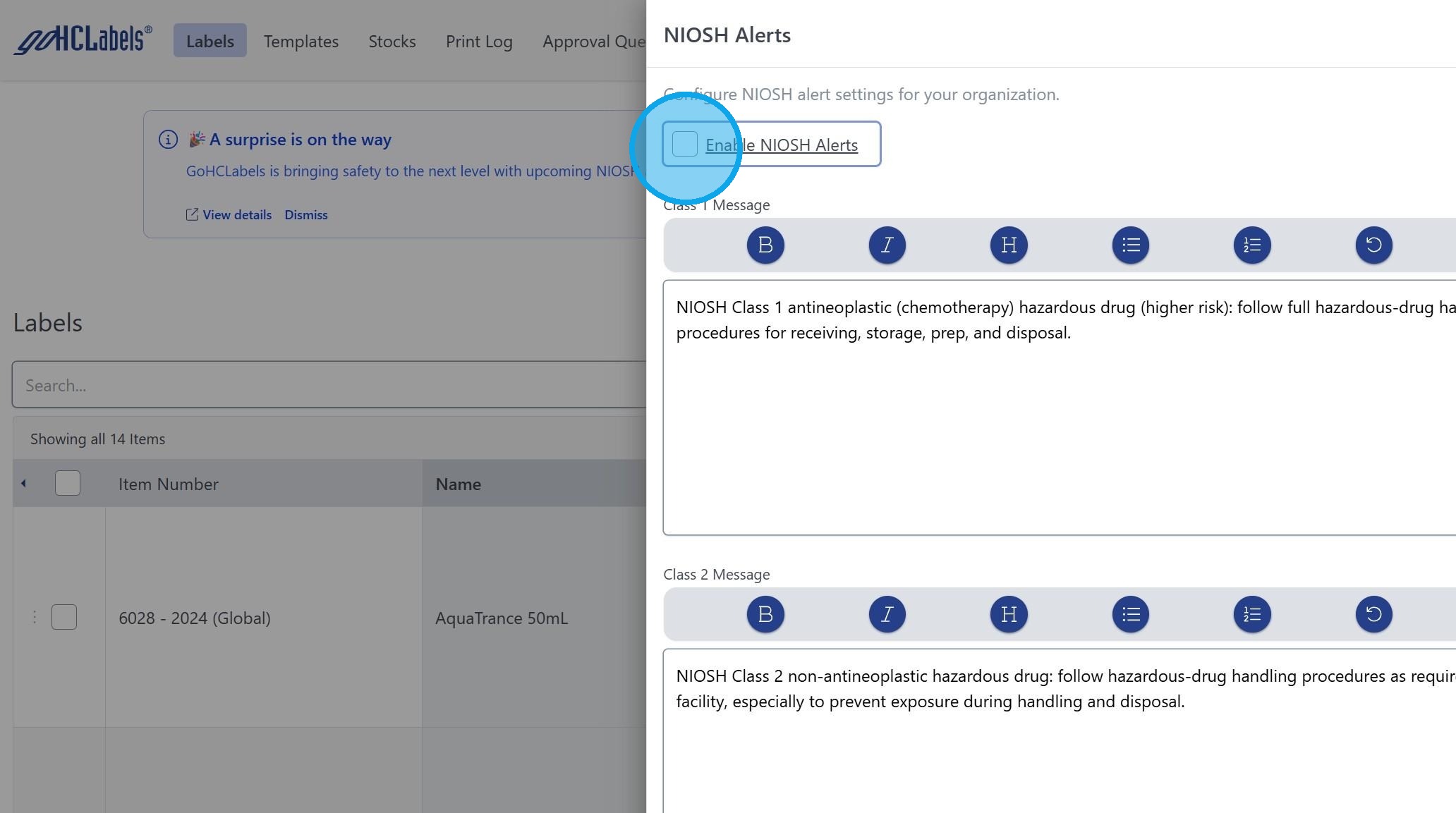
2. Simply click Enable NIOSH Alerts
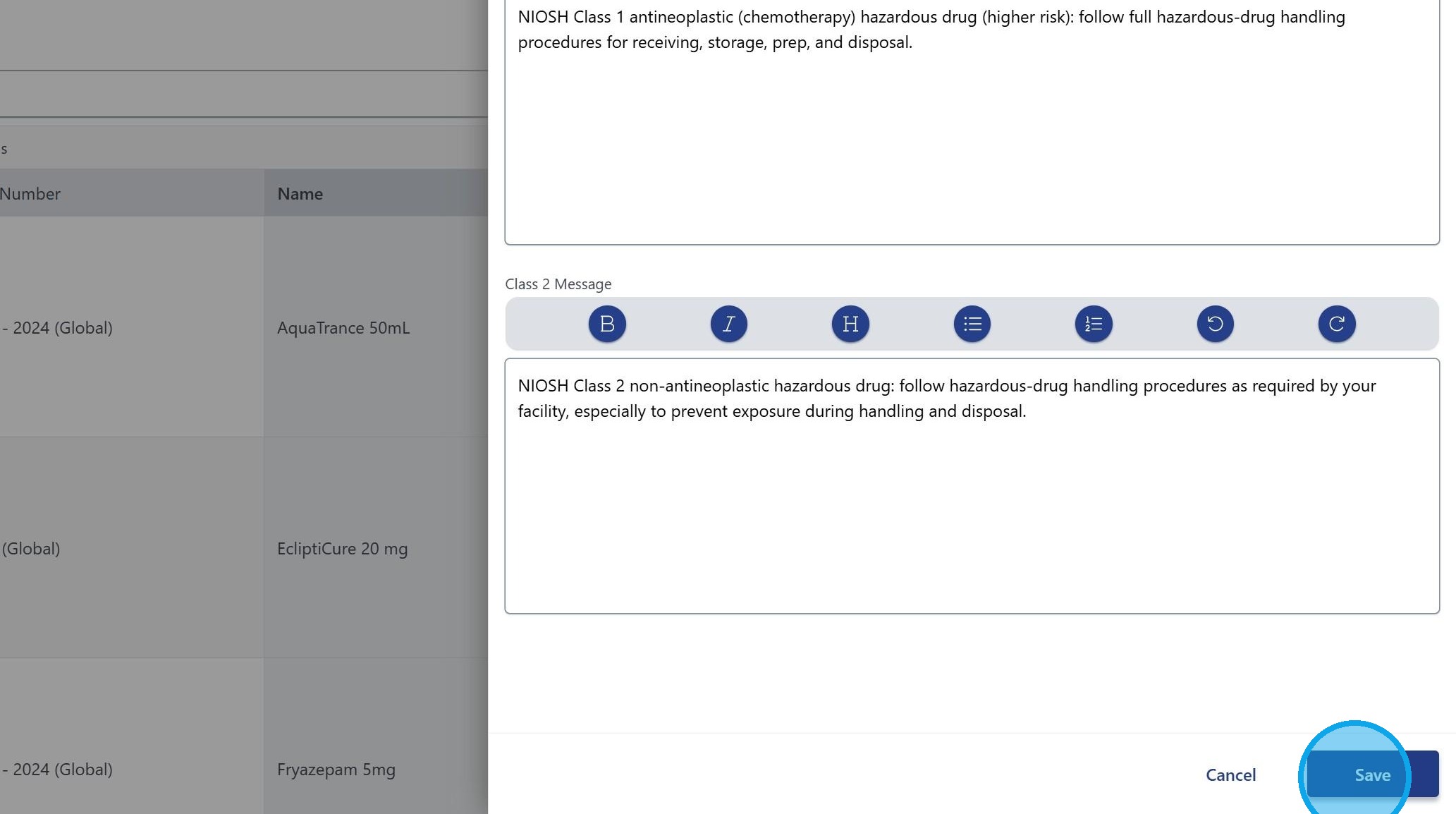
3. Click "Save" and refresh your browser for the changes to take effect.
4. This information is sourced and updated directly from the Centers for Disease Control and Prevention (CDC), National Institute for Occupational Safety and Health (NIOSH). National Institute for Occupational Safety and Health | NIOSH | CDC
5. NIOSH alerts will display on the screen the next time a label is printed for any associated drug on this list. Alerts do not appear during label creation - only at the time of printing.